If you are learning High-Performance Computing (HPC), you have probably come across CUDA. CUDA is a proprietary technology developed by Nvidia Corporation for GPU computing. However, not everyone has access to dedicated GPU hardware. The good news is that you can run CUDA C/C++ programs for free using Google Colaboratory (Colab).
Requirements
- A Google account
- An internet connection
That’s it — no GPU hardware needed.
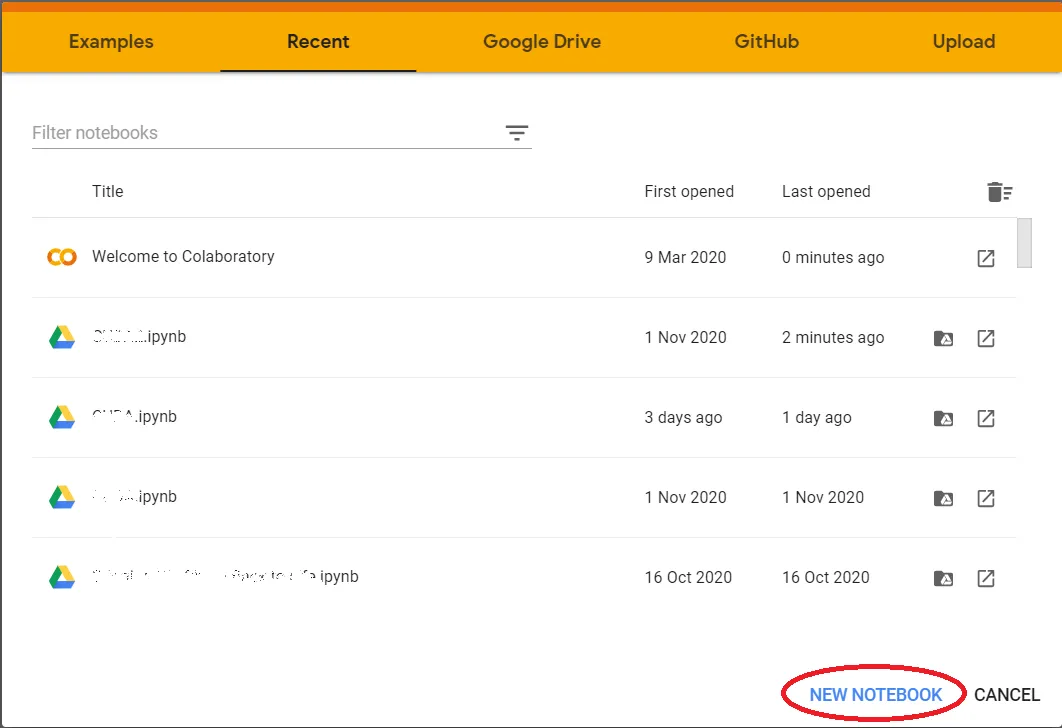
Step 1: Open Google Colab and Create a New Notebook
Go to colab.research.google.com and create a new notebook.
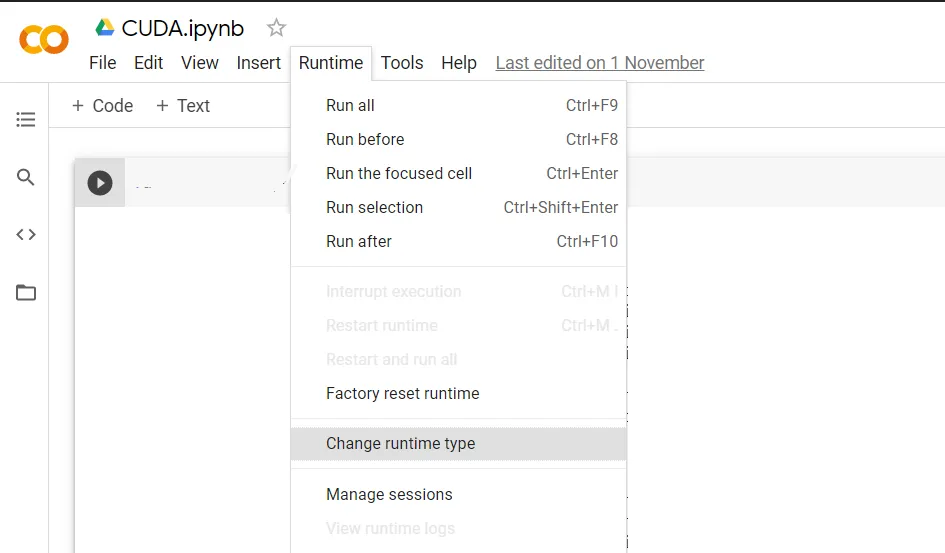
Step 2: Change the Runtime Type to GPU
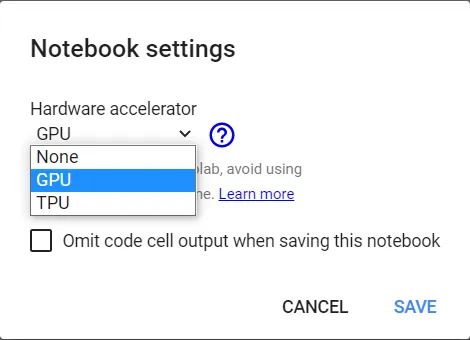
Go to Runtime → Change runtime type, then set the Hardware accelerator to GPU and save.
Step 3: Select GPU Hardware Accelerator
Step 4: Run the Setup Commands
In separate cells, run the following commands:
Check that NVCC (CUDA compiler) is available:
!nvcc --versionInstall the NVCC plugin for Jupyter:
!pip install nvcc4jupyterLoad the extension:
%load_ext nvcc4jupyterStep 5: Write and Run Your CUDA Code
Now you can write CUDA C/C++ code using the %%cu magic command at the top of a cell:
%%cu
#include <iostream>

int main() {
    printf("CUDA is working\n");
    return 0;
}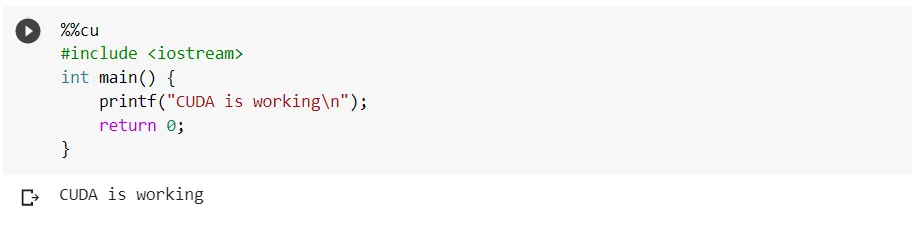
Run the cell and you should see CUDA is working printed as output.
Conclusion
We can easily run CUDA C/C++ programs on the Google Colab platform for free. This makes GPU computing accessible to anyone learning HPC without the need to purchase expensive hardware.