I have been a backend engineer for most of my career — Rails, Django, APIs, data pipelines. Frontend work? Not really my thing. Not because I can’t do it, but because I genuinely haven’t had a reason to in a while.
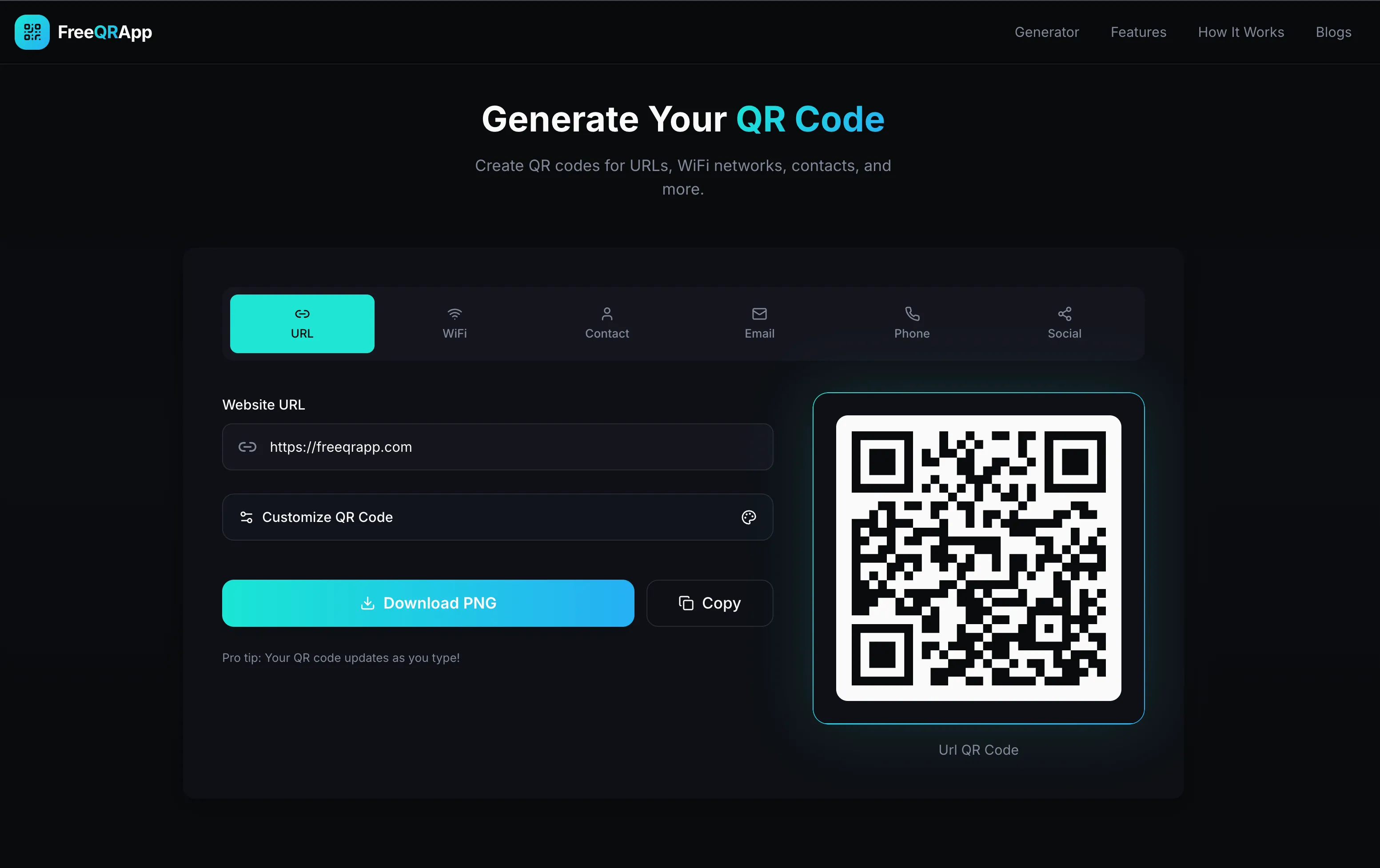
Then one evening I had a simple idea: a clean, free QR code generator. No sign-up walls, no paywalls, no dark patterns. Just paste a URL and get a QR code.
What happened next was genuinely surprising — not because the product was groundbreaking, but because of how easy it was to go from idea to live, real product.
This is that story.
This approach — using AI tools through natural language to prototype, convert, and fix code — is what people have started calling vibe coding. This weekend project was my first real experiment with it end to end.
The Idea and the $10.46 Commitment
Every side project needs a forcing function. Mine was a domain name.
I bought freeqrapp.com for $10.46 — directly through Cloudflare Registrar. That’s it. That was my entire upfront cost. Ten dollars and forty-six cents is cheap enough to not care about, but just expensive enough to make you actually follow through (Disclaimer: This is a lie. Story for another time.).
With the domain secured, I had no excuse not to ship.
Prototyping with Lovable (Free)
I hadn’t done frontend in a while, and I didn’t want to spend a weekend fighting Tailwind config or component libraries. I wanted to see something on screen fast.
Enter Lovable. I described what I wanted — a dark-themed QR code generator with tabs for URL, WiFi, contact, email, phone, and social — and Lovable generated the whole thing. Clean UI, working interactions, even a decent layout.
The best part: the free tier was enough to get a solid prototype. I didn’t pay a cent for this phase.
Lovable scaffolded the project using Vite + React, which is a solid default. But here’s the thing — I didn’t want to deploy on Lovable’s hosting. I wanted full control. So I downloaded the project and took it local.
The Framework Curiosity: Astro
Around this time, I kept hearing about Astro. A framework designed for content-heavy sites with a ship-less-JS philosophy — partial hydration, great performance out of the box, and a different mental model than your typical React SPA.
I had just used it to build this blog. I liked it. So naturally, I thought: what if I convert the QR app from Vite + React to Astro?
That’s… a non-trivial migration to do by hand when you’re rusty on frontend.
Antigravity IDE to the Rescue
I had been using GitHub Copilot daily at work — mostly for backend stuff, autocomplete, boilerplate. But I hadn’t experimented much with other AI tools for actual rewrites.
I decided to try Antigravity IDE. I gave it the Vite + React project and asked it to rewrite/convert everything to Astro. It did. Not perfectly — there were design inconsistencies and some broken interactions — but the skeleton was there. It handled the bulk of the conversion work that would have taken me a full day.
I used Antigravity IDE again to fix the design issues that came out of the conversion. A few prompts back and forth, some tweaks to components, and things started looking clean.
When my Antigravity IDE credits ran out, I switched back to GitHub Copilot to wire up the remaining pieces and add the blog section to the site. Copilot is where I’m most comfortable anyway, so this felt natural.
Deploying to Cloudflare Pages (Also Free)
For hosting, I went with Cloudflare Pages. It’s free for personal projects, deploys straight from a GitHub repo, and gives you a global CDN without any configuration. You connect your repo, set your build command, and that’s it.
Since I had registered the domain through Cloudflare Registrar, the DNS was handled automatically — no manual record fiddling, no waiting for propagation. Connect repo, set build command, done.
Total infrastructure cost: $0.
Launching on Product Hunt
I was aware of Product Hunt — a place where makers post products, people upvote, and if you’re lucky you get a spike of real visitors who are actually curious about what you built.
I listed FreeQRApp there. No big launch strategy, no email list, no pre-launch hype.
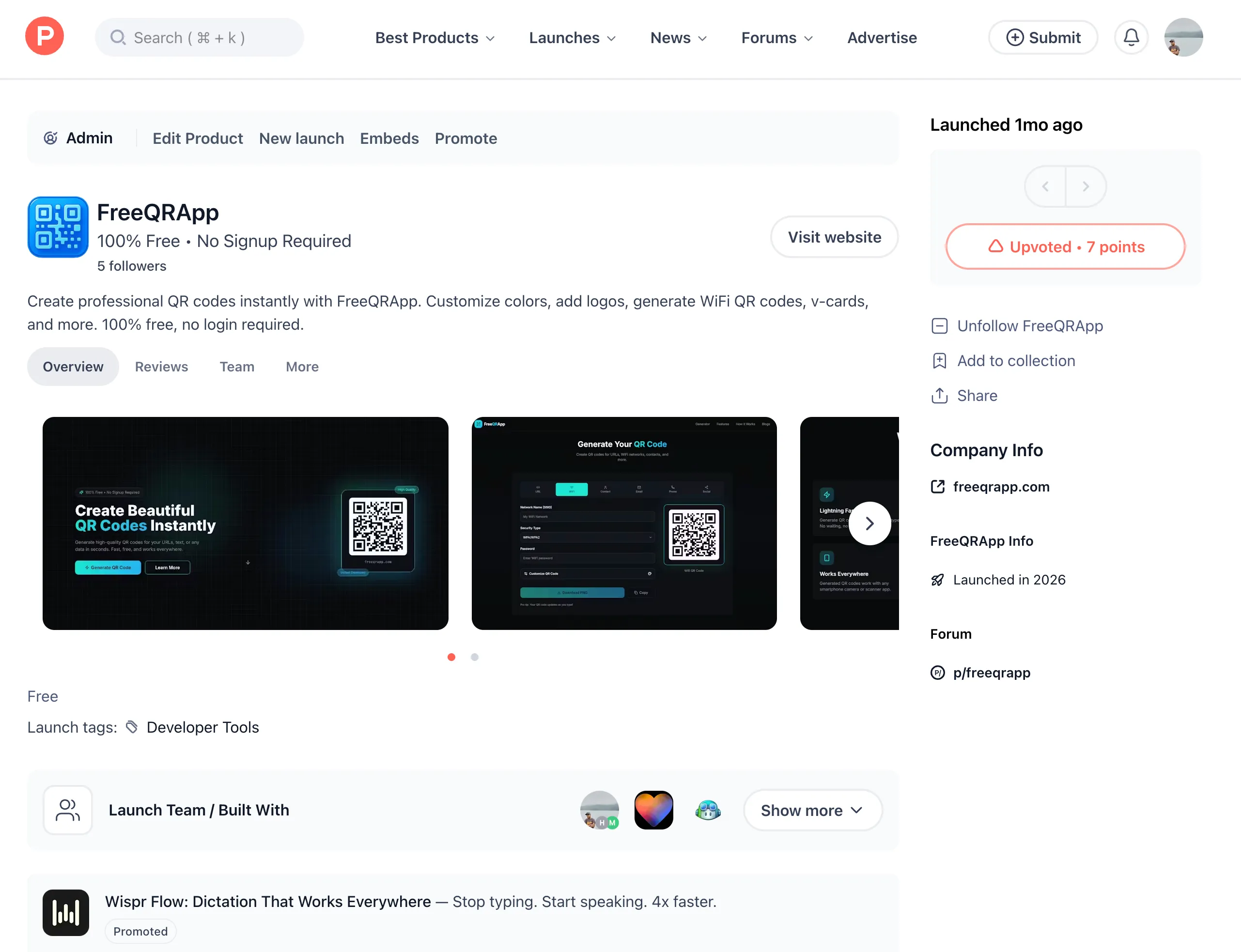
Upvotes trickled in. Visitors came. Real people were landing on a thing I had built in a weekend.
You can see the listing here: FreeQRApp on Product Hunt
LinkedIn Announcement
I also posted about it on LinkedIn — briefly, honestly, without the usual “I built this in 10x less time with AI” hype.
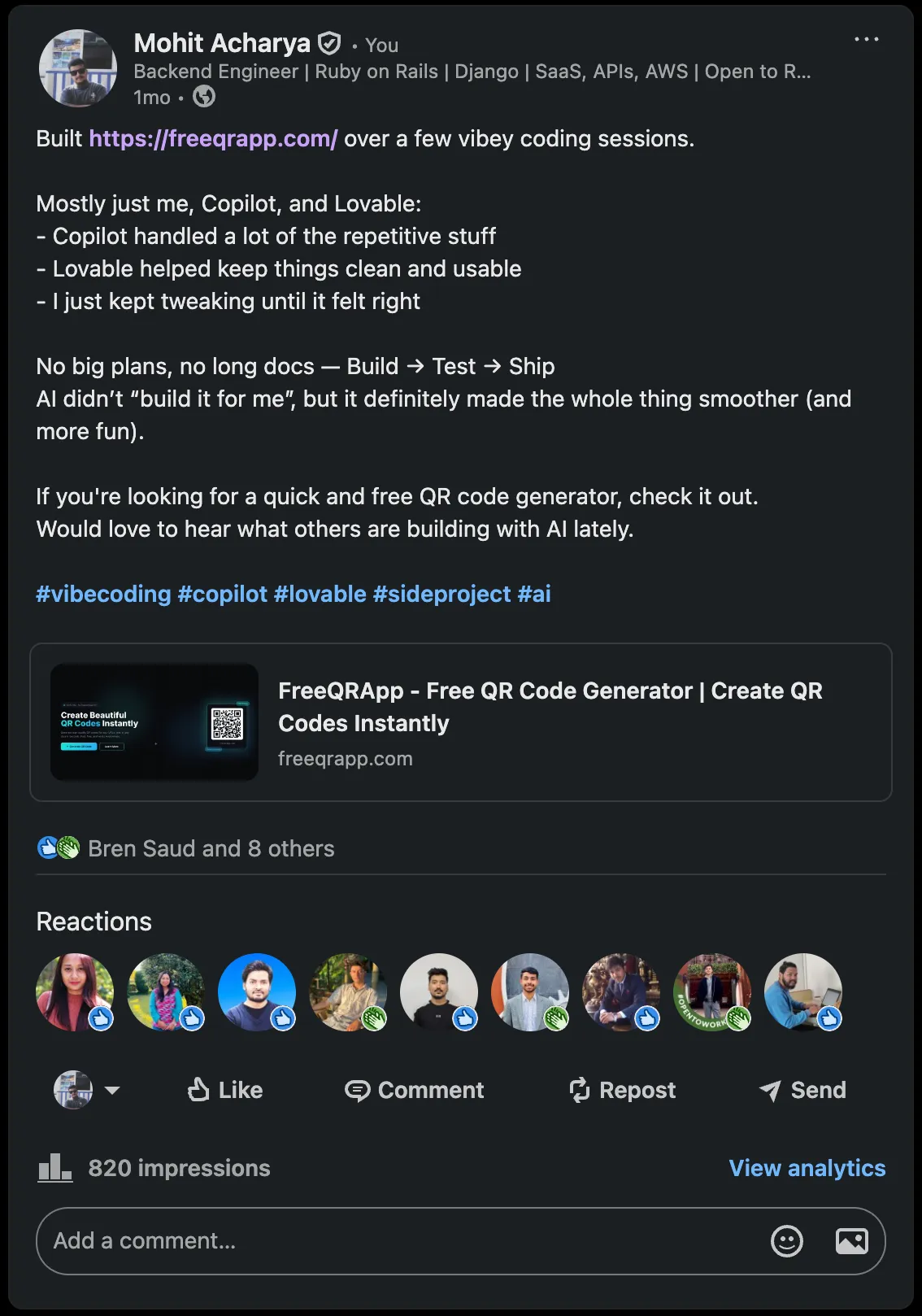
820 impressions, a handful of reactions, and a few people who actually clicked through and tried it. Not a viral moment, but a real one. Someone from my network mentioned they used it for an email template.
That felt good.
Understanding Users with Microsoft Clarity
One thing I wanted from the start was real behavioral data. Not just pageviews — actual heatmaps, session recordings, where people clicked, where they dropped off.
I integrated Microsoft Clarity (also free) for this. It’s been genuinely useful to watch how people interact with the generator, which tabs they use most, and where they leave.
What the Whole Thing Cost
Let me be explicit about this, because I think it matters:
| Item | Cost |
|---|---|
Domain (freeqrapp.com) | $10.46 |
| Lovable (prototyping) | $0 (free tier) |
| Antigravity IDE (conversion + design fixes) | $0 (free credits) |
| GitHub Copilot | Already subscribed |
| Cloudflare Pages (hosting) | $0 |
| Microsoft Clarity (analytics) | $0 |
| Total | $10.46 + a weekend |
A working, live, real product with a custom domain, analytics, and actual users — for just over ten dollars and two days.
Results After a Month
Here’s what Google Analytics showed after about a month of the site being live:
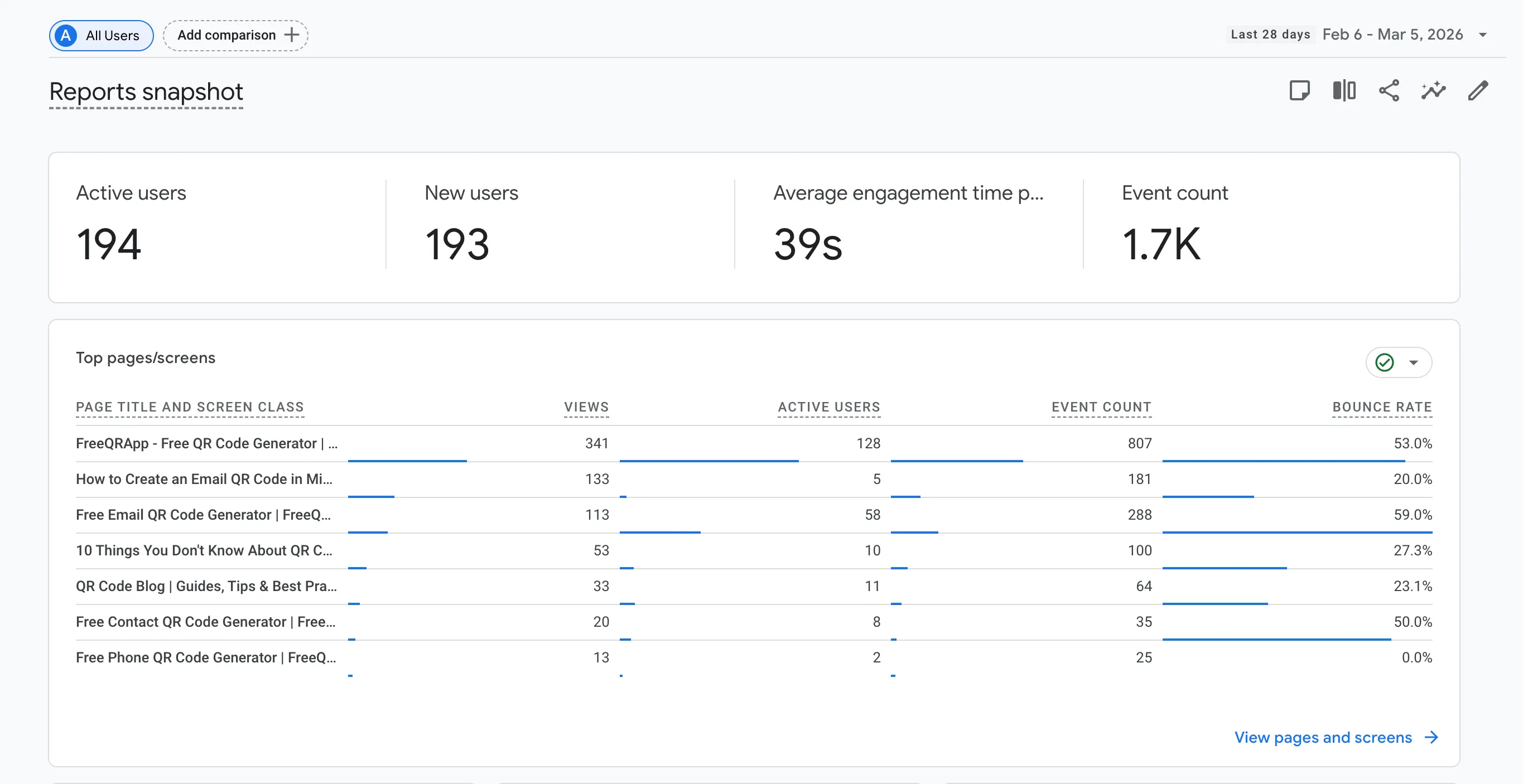
194 active users, 193 new users, 1.7K events, and an average engagement time of 39 seconds. Not viral numbers, but these are real people who found the tool, used it, and stuck around long enough to actually generate a QR code.
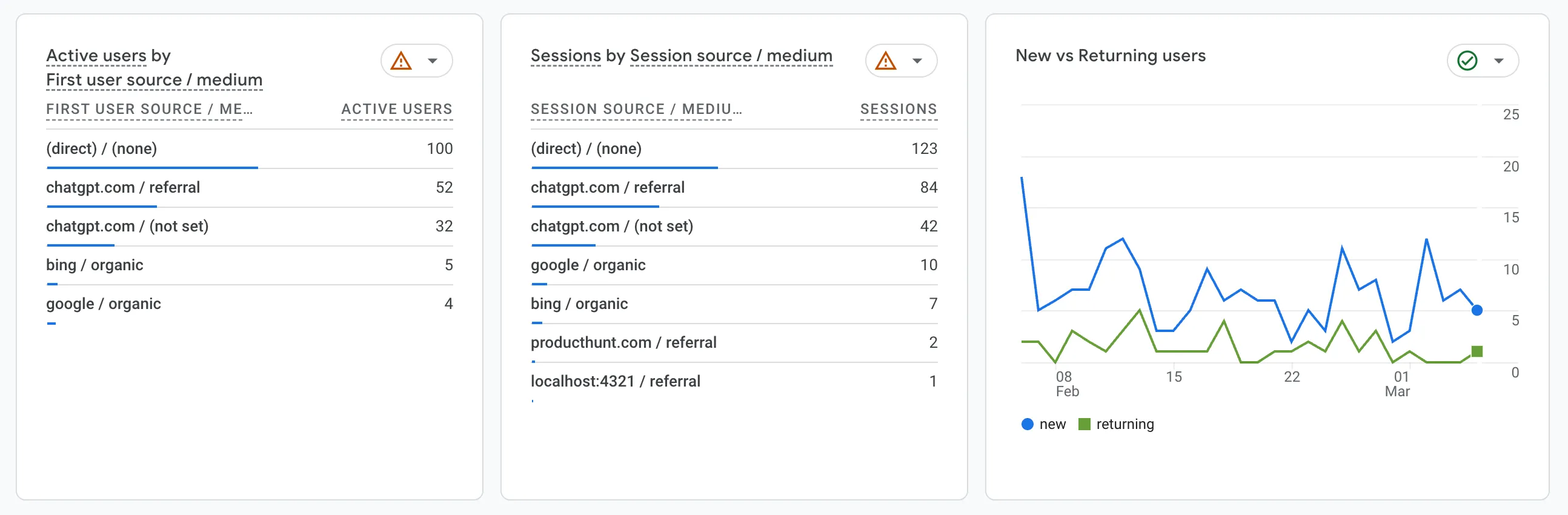
The traffic sources were the surprising part. Direct traffic leads, which is expected. But the second biggest referrer? ChatGPT.
Turns out a lot of people ask ChatGPT “how do I create a QR code for my email template?” — that exact use case someone from my network mentioned — and end up on FreeQRApp. Which means a vibe-coded product, built with the help of AI assistants, is now being referred to users by another AI assistant.
“A product built by vibe coding is now being discovered through vibe chatting. Is this the beginning of an AI referral economy, or just two robots high-fiving each other? Either way, I’ll take it.”
Bing organic and Product Hunt also sent some visitors, which validated that the launch effort wasn’t wasted.
What I Actually Learned
The product itself is simple. A QR code generator is not a novel idea. But that was never the point.
The point was to prove to myself that the gap between “I have an idea” and “this is live on the internet” has never been smaller. AI tools didn’t build the product for me — I made every decision, I chose the stack, I fixed the bugs, I wrote the copy. But they dramatically compressed the time between decision and outcome.
As someone who doesn’t do frontend daily, the ability to prototype a working UI, convert a codebase to a different framework, and fix design issues through natural language — without spending hours on documentation and Stack Overflow — was the actual superpower.
Build → Test → Ship.
That’s the whole loop now. And it fits in a weekend.
Disclaimer: Co-authored by Claude — yes, I am now experimenting with AI tools all the way down the stack.
If you need to generate QR codes — URLs, WiFi networks, contact cards, and more — try it out at freeqrapp.com. Free, no sign-up required.